How to avoid malicious websites with ExpressVPN


Malicious websites are a common starting point for a variety of cyberattacks. They can lead to malware infections, where dangerous pop-ups or file downloads infect the target computer. They can also be used for phishing schemes, where they trick people into revealing sensitive personal data by posing as a trusted brand or figure.
Attackers can then use that stolen data to commit financial fraud and identity theft, sometimes without the victim even realizing anything has happened.
ExpressVPN's Advanced Protection feature helps by blocking connections to known malicious domains and malicious pop-ups that can lead to dangerous sites. While it’s not a substitute for antivirus software or healthy browsing habits, ExpressVPN reduces your exposure to online threats.
How ExpressVPN helps you avoid malicious websites
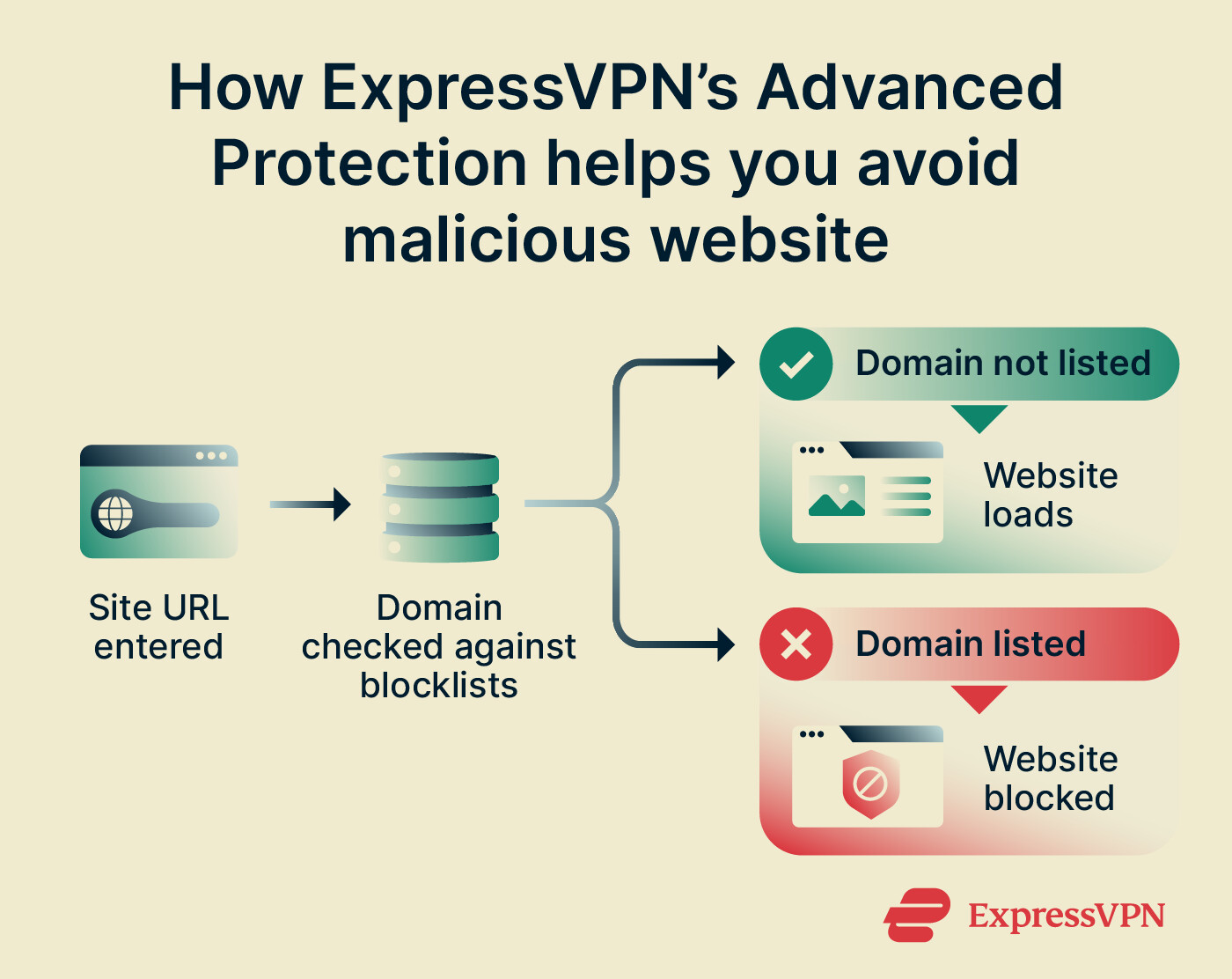
When you try to visit a website, ExpressVPN’s Advanced Protection’s Block malicious sites feature checks the domain against several blocklists of known harmful websites. If the domain appears on one of the lists, Advanced Protection blocks the connection before the page can load.
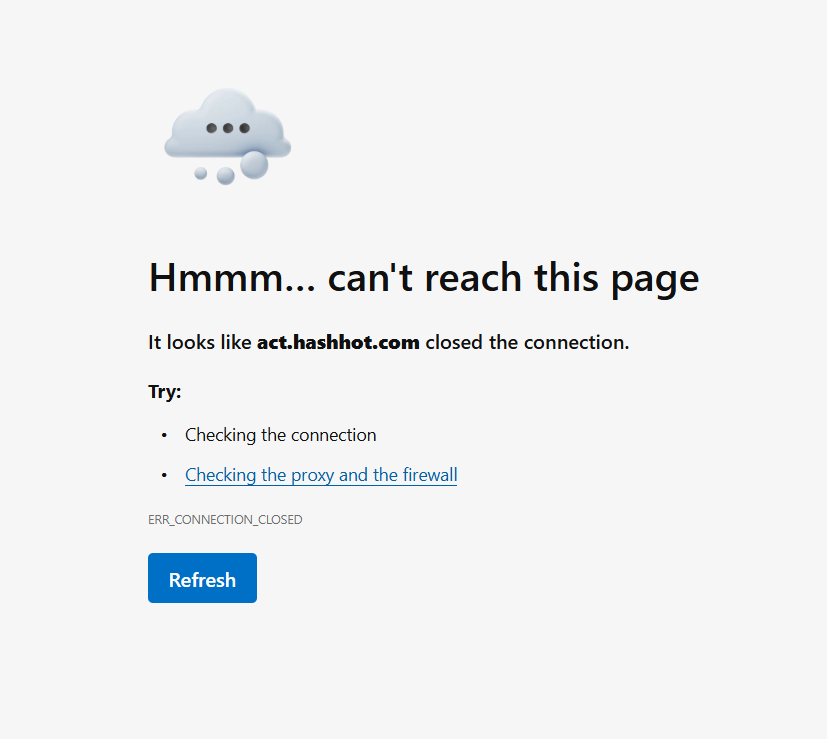
Our ad blocker works in a similar way, checking pages for known ad domains and blocking ads before they can load, too. It works on all kinds of ads, but it can be helpful for avoiding the kind that might redirect you to dangerous websites.
That said, it’s worth noting that Advanced Protection only blocks domains that appear on its lists of known threats. There is a chance that new or undiscovered malicious sites could still load. Advanced Protection also only blocks websites; it won’t prevent malware from downloading. It works best as a proactive protection tool to reduce the chances of encountering a threat.
How to enable Advanced Protection on your device
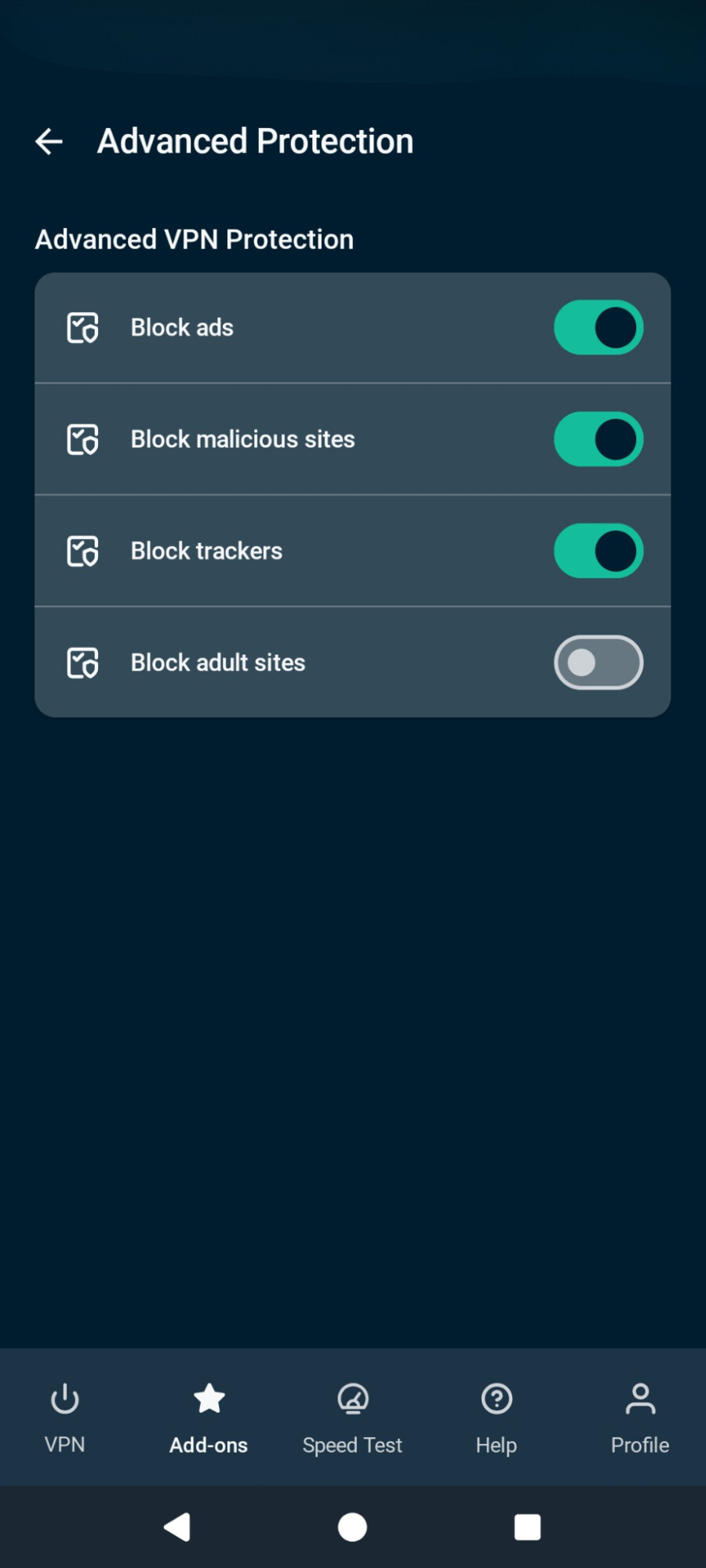
Advanced Protection can be enabled in the ExpressVPN app, with toggles that let you customize the feature.
The process is similar across supported operating systems; here it is on Android as an example.
- Open the ExpressVPN app.
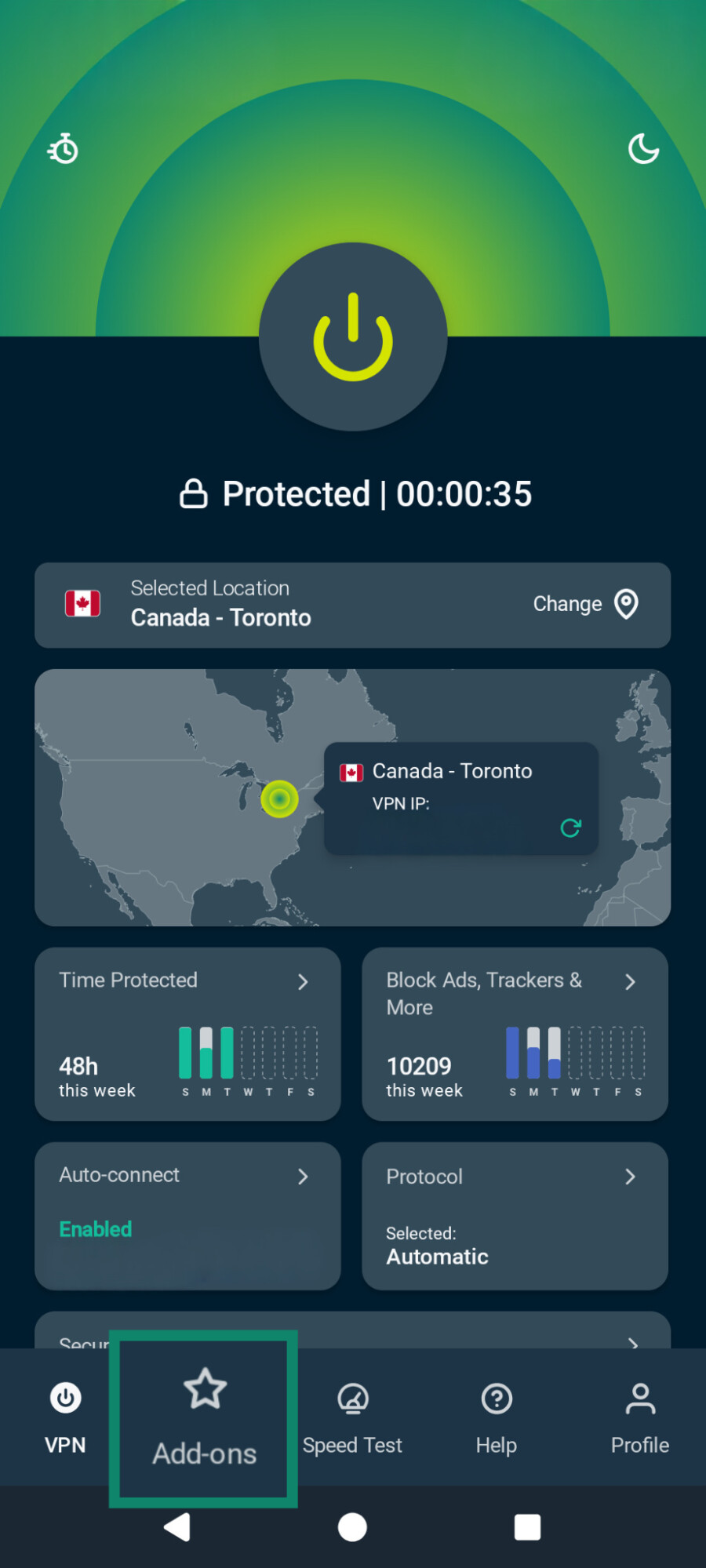
- Tap Add-ons and open Advanced Protection.
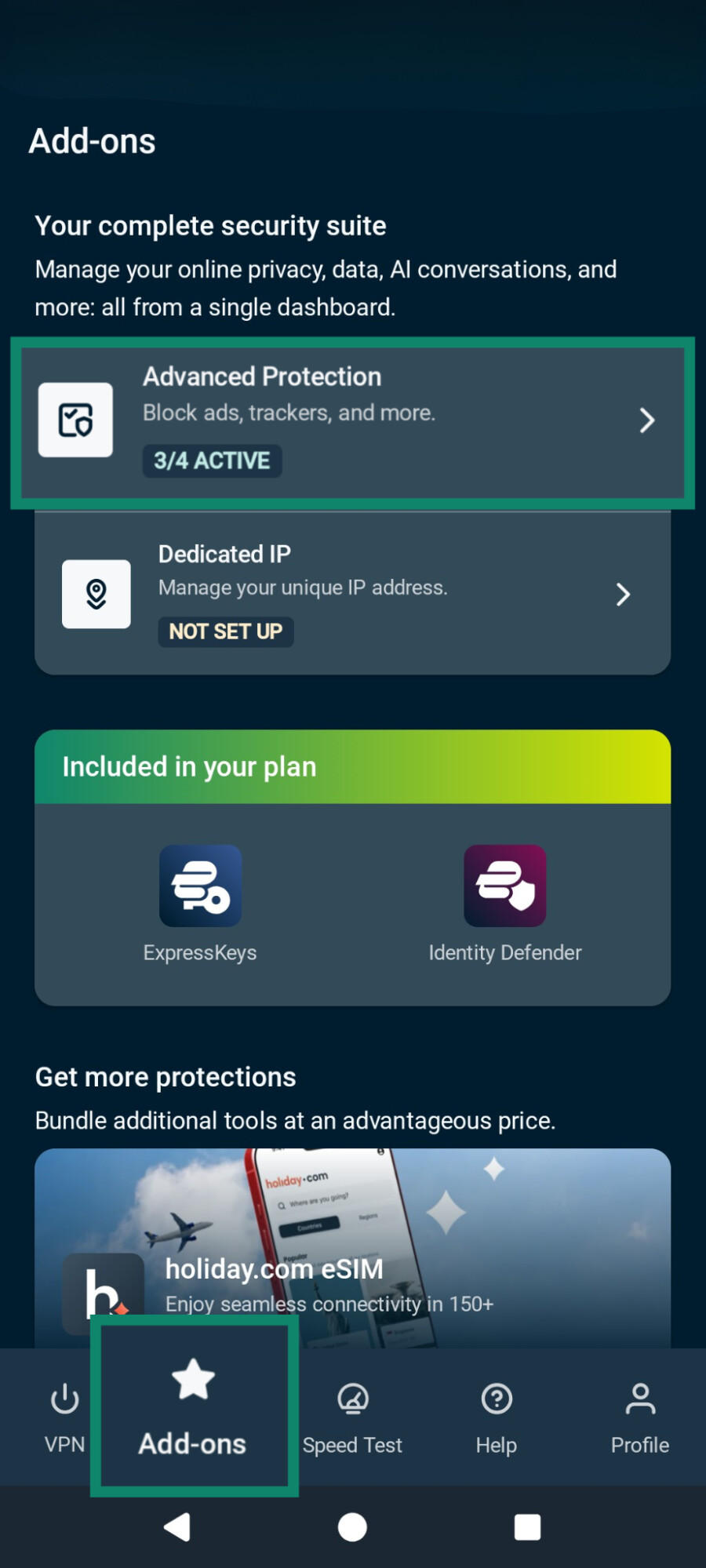
- Enable Block malicious sites and Block ads. You can also toggle on Block trackers and parental controls via Block adult sites.

Note: Click here for full guides on how to enable Advanced Protection features on all supported devices.
Stop dangerous websites before they load
ExpressVPN's Advanced Protection automatically blocks connections to known malicious sites, helping protect you from phishing, scams, and other online threats.
Browse more safely with ExpressVPN
Try it risk-free with a 30-day money-back guarantee for new users.
FAQ
How do I report a malicious site?
How can you check if a website has a virus?
However, you can’t confirm a site has a virus just by looking, so it’s important to pay attention to your browser or security tools' warnings. For example, ExpressVPN’s Advanced Protection prevents known malicious websites from loading.