Download the best VPN for iPhone and iPad in 2025
Browse, stream, and game securely on iOS with ExpressVPN’s independently audited no-logs servers
- Unlock fast, reliable VPN connections with Lightway protocol
- Stream your preferred content on high-speed 10Gbps servers
- Get easy, one-tap connection on any iOS device
Start Your Risk-Free Trial Download iOS VPN
30-day money-back guarantee*
*for first-time users

Why use a VPN on iOS Devices?
Protect your privacy and stay secure on any network with an iOS VPN


Use public Wi-Fi with added peace of mind
You might be messaging family and friends on your iPhone, or checking emails at your local café—but public Wi-Fi can put your data at risk.
The best VPN for iOS secures your connection with robust encryption and privacy features, protecting your traffic from snoops. With a kill switch feature, a VPN blocks all internet traffic if your connection drops, safeguarding your data until the VPN reconnects.

Access your accounts securely while traveling
Whether you’re a digital nomad, or traveling for work or pleasure, you often need to access accounts back home, such as banking, government, or work portals.
With an iOS VPN, you can secure your IP address and keep websites from tracking your real location. Combined with an encrypted connection, this keeps your activity private and ensures secure, consistent access to your accounts wherever you are.

Reduce exposure to ad trackers and data collection
Have you ever been shopping online and noticed the same ads following you everywhere? That’s your data being tracked and monetized.
While iOS provides some tracking protection in Safari, a VPN for iOS adds system-wide defense. Some iOS VPNs also come with an ad blocker, which stops most display ads from loading across all your apps—not just your browser.
How to set up ExpressVPN on iPhone or iPad
Get secure and private iOS VPN connections in 3 simple steps
-
![Pick Subscription Plan@2x]()
Step 1
Sign up for ExpressVPN
Choose a subscription tier and sign up worry-free with our 30-day money-back guarantee.*
-
![Add A Dedicated Ip]()
Step 2
Download the ExpressVPN iOS app
Download the iOS app and log in. ExpressVPN is also available for Android, Windows, macOS, and more.
-
![Get A Private Ip Address@2x]()
Step 3
Connect with one tap to the iOS VPN
Select the ExpressVPN server location of your choice. Connect, and start browsing with the best VPN for iOS.


Watch: How to download ExpressVPN on iOS
Watch our step-by-step video guide and get ExpressVPN for iOS with a click of a finger

What to look for in an iOS VPN
Key features of a VPN for iOS to keep you safe, fast, and easily connected

Security-first design
The best iOS VPN protects your data and privacy at every step. ExpressVPN’s advanced 256-bit AES encryption prevents third parties like ISPs and Wi-Fi admins from knowing what you’re doing online.
Combined with built-in security features that help block known trackers and malicious sites, you get private and secure browsing across all your iOS devices.

Reliable, high-speed connections
For iOS users, a reliable VPN should deliver consistently fast connections for browsing, streaming local and international favorites via your account, or online gaming.
Lightway is ExpressVPN’s mobile-optimized VPN protocol. We combine this with high-speed servers in multiple locations, and unlimited bandwidth ensure consistent performance—even when switching between Wi-Fi and cellular networks.

Easy-to-use mobile interface
Ever struggled with clunky apps or confusing settings on your iPhone or iPad? A user-friendly iOS VPN app makes staying secure simple and stress-free.
With a clean and intuitive interface, one-tap connection, easy server selection, and automatic reconnection when switching networks, ExpressVPN lets you protect your data and browse privately with a click of a finger.

Compatibility with all major devices
A high-quality VPN for iOS is fully compatible with iPhones and iPads, offering optimized performance, secure connections, and easy installation via the App Store.
With ExpressVPN, you can secure up to 14 devices simultaneously under a single subscription, protecting your entire Apple ecosystem and other devices you use.
ExpressVPN features for iOS
Advanced tools and security features for ultimate iOS VPN protection

Enhanced privacy with RAM-only servers
ExpressVPN’s TrustedServer technology runs all servers on volatile memory (RAM) instead of hard drives, which means data isn’t permanently stored. Every server automatically wipes itself clean with each reboot.
Multiple independent audits verify our no-logs policy and server infrastructure, ensuring your iOS browsing activity, IP address, and connection data are never collected or stored.
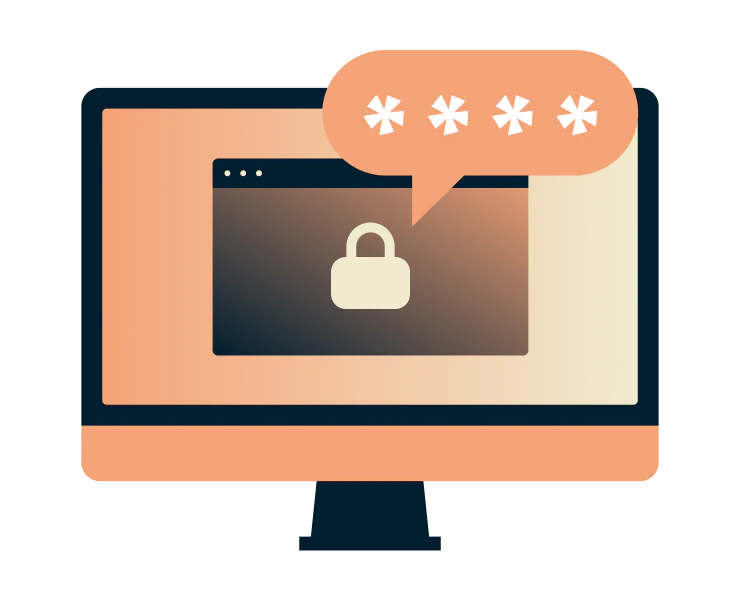
Built-in password manager
How many times have you forgotten a password or struggled to keep track of multiple logins? ExpressVPN’s password manager, built right into the app, solves this problem.
Zero-knowledge encryption means only you can unlock your vault. Securely store passwords, cards, and notes, create strong logins, and spot exposed credentials—all within your iOS VPN app.

Leak protection and advanced security
DNS and IPv6 leaks can expose your browsing activity even when using a VPN, revealing the websites you visit despite encryption.
ExpressVPN’s private DNS on every server keeps your activity private by handling DNS requests internally rather than through third-party DNS services—protecting your ISP and DNS operators from logging which websites you visit.

Browse, stream, and game with confidence
Are you tired of disruptive buffering or a high ping in games on your iPhone or iPad? ISPs can deliberately slow down traffic like streaming or online gaming. ExpressVPN for iOS uses strong encryption to hide your activity—even from your ISP.
Your ISP can see you’re online, but not what you’re doing, preventing content-based throttling and restoring consistent speeds. Plus, built-in obfuscation disguises VPN traffic as regular web activity, reducing the risk of interference.
Compatible with all your iOS devices
One VPN, multiple devices, optimal coverage
-
![Ipad And Iphone@2x]()
iPhone and iPad (latest iOS supported)
Get ExpressVPN on your iPhone or iPad running iOS 15.0 or later. Connect with one tap, choose from thousands of servers across 105+ countries, and stay protected with automatic reconnection, even when switching networks.
Download the ExpressVPN app for iOS on the App Store for a free seven-day trial.
-
![All Devices Protected2x]()
Use with other Apple and non-Apple devices
In addition to your iPhone and iPad, ExpressVPN can secure other Apple devices like Mac and Apple TV, as well as Windows, Android phones and tablets, and supported smart TVs.
You can even secure every device at home with our custom firmware for routers, with it counting as just 1 connection.


Why choose ExpressVPN for iOS?
Independently verified iOS VPN, trusted worldwide
-
![Independently audited for transparency ExpressVPN follows a strict no-logs policy, ensuring your online activity is never recorded. Leading firms, ...]()
Independently audited for transparency
ExpressVPN follows a strict no-logs policy, ensuring your online activity is never recorded.
Leading firms, including KPMG and PwC, confirm these safeguards in independent audits, guaranteeing that even ExpressVPN cannot access your personal data.
-
![24/7 live chat support Our support team is available 24/7 in multiple languages via live chat or email. Whether you need help with setup, troublesh...]()
24/7 live chat support
Our support team is available 24/7 in multiple languages via live chat or email.
Whether you need help with setup, troubleshooting, or have general questions about VPNs, experts are always ready to guide you.
-
![Backed by a 30-day money-back guarantee Want to try ExpressVPN risk-free? Our 30-day money-back guarantee applies to first-time customers who subsc...]()
Backed by a 30-day money-back guarantee
Want to try ExpressVPN risk-free? Our 30-day money-back guarantee applies to first-time customers who subscribe directly through our website or app.
Purchases made via the App Store are managed by Apple, and any refunds are handled at their discretion.



What people are saying about ExpressVPN
See why our satisfied customers trust ExpressVPN
I have ExpressVPN on all my devices - phone, laptop, tablet, AppleTV, etc., and absolutely love it.


* A sample of reviews from our most satisfied customers
Got an account with @expressvpn yesterday. Great decision for traveling out of the country!
@D_Geiger

* A sample of reviews from our most satisfied customers
With its consistent performance and reliable security, ExpressVPN is the best VPN out there.

* We sometimes pay expert sites for customer referrals
FAQ’s: About VPNs for iOS
Answers to your most common questions about iOS VPNs
Does iOS have a built-in VPN?
iOS includes a built-in VPN client in, but it’s a connection client—it doesn’t provide a VPN service. To encrypt all your device traffic and connect to servers worldwide, install a trusted VPN app such as ExpressVPN, which will handle configuration and secure your connections across apps and browsers.
What’s the best VPN for iOS?
ExpressVPN is the best iOS VPN, offering fast 10 Gbps servers in 105+ countries, private IP addresses, and a verified no-logs policy. With unlimited bandwidth, 256-bit AES encryption, and a 30-day money-back guarantee for first-time users, it ensures secure browsing, access to local and international content, and reliable connections across devices.
How do I enable a VPN on my iPhone?
It’s easy! Subscribe to ExpressVPN on our website to enjoy the 30-day money-back guarantee for first-time customers, then download the iOS app from the App Store. Open the app and tap “On” to encrypt your connection and enjoy secure, private internet access on your iPhone or iPad.
Which VPN protocol is best for iOS?
The ExpressVPN app for iOS automatically selects Lightway—our proprietary VPN protocol engineered from the ground up for exceptional speed, security, and reliability. Continuously refined and upgraded, Lightway includes advanced encryption designed to safeguard your data even against emerging quantum computing threats.
Try ExpressVPN risk-free on iPhone and iPad
First-time subscribers can try all our premium features risk-free with our 30-day money-back guarantee.