





#1 Gaming VPN: Play fast and rank up
like an eSports pro
Get up to 80% off the best VPN for gaming trusted by casual and competitive players.
30-DAY MONEY-BACK GUARANTEE FOR FIRST TIME USERS
*ExpressVPN helps support expert review sites through an affiliate program that compensates them for referrals.


“Wickedly fast, unblocks every major platform, and some of the strongest privacy we’ve seen.”
* ExpressVPN Helps support expert review sites through an affiliate program that compensates them for referrals.
How to set up ExpressVPN for gaming
Sign up and start playing in less than 3 minutes
-
Step 1

Subscribe and install ExpressVPN
Get for Windows, Android, or download VPN on other devices
-
Step 2

Connect to an ExpressVPN server
Select from ExpressVPN servers in 113 countries
-
Step 3

Start your game and play safely
You’re protected by a 30-day money-back guarantee*
*ExpressVPN’s money-back guarantee is limited to first-time customers. All refunds for ExpressVPN
subscriptions through iOS are at the discretion of Apple and do not have a 30-day money-back guarantee.
Check out the latest ExpressVPN gaming offers
Use the links below to see in-game goodies available with your ExpressVPN subscription.
High-performance VPN for fast-paced gaming
Designed to stay responsive when every millisecond counts

Ping measures how quickly your actions reach the game server and return responses. When it’s below 100 ms, the game feels more responsive. But when you use a VPN that’s not optimized for real-time play, it can go above 100 ms and result in delays.
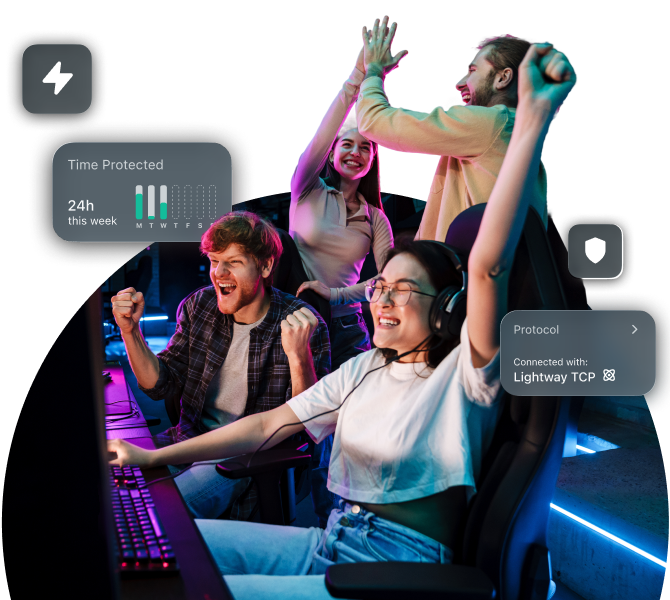
ExpressVPN is an ideal gaming VPN for fast-paced games like FPS, MOBA, and esports. It has high-capacity 10 and 40Gbps servers to reduce congestion, which helps maintain low latency. Its proprietary Lightway protocol is lightweight and minimizes processing delay compared to older VPN protocols.

If you often play online games on your smartphone or tablet, you likely switch between mobile and free public Wi-Fi networks. This can affect your gameplay when connected to a VPN, as it may take longer to re-establish connection.
ExpressVPN’s Lightway is designed to make the fastest VPN connection possible, minimize overhead, and adapt quickly to network changes. This gaming VPN protocol also preserves battery life when playing all-consuming games like Pokémon GO for a long time.

Sometimes, your ISP may route your traffic through multiple intermediate networks before it arrives at a game server. If these routes are too long or congested, you’ll experience higher latency, and your game may suffer.
To help with this, ExpressVPN offers servers in 214 locations worldwide. The wide selection allows you to choose a potentially less congested, shorter path for your data. As a result, your connection becomes faster and more stable for steady gaming.
-

Servers in 113 countries
-

Ultra-fast Lightway Turbo
-

Optimized for gaming
-

Up to 40Gbps server capacity
Built for real-world gaming environments
Stress-tested for extended competitive play
-
Peak hours don’t deter you from gaming

Players often connect to a VPN to play and relax in the evenings and weekends. But as the server load spikes, it becomes sluggish. Your connection may become slower or get frequently disconnected.
Since ExpressVPN has high-capacity servers, it can support many users at any given time. It also offers unlimited bandwidth, so you’ll stay connected no matter how much you play.
-
Enjoy long gaming sessions with friends

Your ISP may throttle speed or slow down gaming traffic during peak hours, especially if you’ve been playing for a long period of time. This can slow your connection and keep you from winning.
ExpressVPN encrypts your traffic, which means ISPs can’t detect and throttle gaming traffic selectively. As a result, your speed stays stable and you can play as usual during peak hours.
Stay securely connected to your favorite games
Don’t lose access when traveling or switching networks

Get global server coverage for all your games
Your location is fixed when you get online, which restricts you from matching with players in other regions for a game of Fortnite. You also can’t access your usual games when traveling abroad.
With a network that spans 113 countries, you’re free to travel and connect to an ExpressVPN server in your own region. Or, change locations to play with friends worldwide!

Play as usual on restricted local networks
Networks in schools and offices often restrict games like Minecraft to maintain productivity. These networks also usually block VPN traffic, so there’s no way to access games.
However, ExpressVPN servers are obfuscated to make your VPN traffic appear normal. This allows you to use the VPN effectively to unblock your favorite games on these networks.
Protect your data and connection when playing
ExpressVPN removes the risks and keeps gaming fun
-
Secure your connection on public hotspots

Many use free public Wi-Fi in cafés and other places. Unfortunately, they often lack security, so others on the network can easily see when you’re playing.
ExpressVPN secures your connection with industry-standard 256-bit AES encryption. This keeps your online activity hidden from ISPs and snoops.
-
Keep your location private from bad players

A losing player may try take you out of the game by launching a DDoS attack. They do this by identifying your IP address, which is usually exposed without a VPN.
ExpressVPN also masks your real IP address and replaces it with its own. This makes it harder for others to identify or target you for an attack.
What our most satisfied customers say
Trust the best VPN for gaming
-
Absolutely fantastic. It was the perfect solution for connectivity issues in a game I’ve been playing recently.
J B


-
ExpressVPN is the perfect all-around VPN service for your network security needs.
Dirt_Reynolds


-
ExpressVPN is the fastest VPN I’ve found. It shows you the fastest server you can connect to, and a list of alternative servers.
Christopher Gilmer
-
#1 Best VPN 2026 & Best Gaming VPN
ExpressVPN is the best Gaming VPN right now, thanks to its impressive speeds, excellent privacy protections, and expansive global network of servers.

-
Editor’s Choice Award 2026
ExpressVPN’s expansive network and dedication to staying at the forefront of encryption technology earn it an award.

-
#1 Best VPN for the U.S. 2026
ExpressVPN is the best VPN for the U.S. right now. It has VPN servers in every American state, excellent security, and a simple user interface.

-
 Rated 4.4 out of 5
 -
 Rated 4.7 out of 5






FAQs about gaming VPNs
Find the answers you need to sign up for ExpressVPN
Can I use a VPN for gaming?
Absolutely! They work just fine. A lot of casual and professional players use VPNs to improve their connection and add a layer of security to their gaming sessions. Most gaming platforms and publishers are also fine with it, as long as you don’t use a VPN to cheat, get around regional pricing, or circumvent the systems they have in place.
Will using a VPN lower my ping or reduce lag?
It depends. If the lag is caused by poor routing or content-based ISP throttling, a VPN can help. However, if you play on servers that are too far away or just have poor internet quality, a VPN can't do much to help.
How does a VPN affect game server routing and latency?
A VPN changes the path your traffic takes before reaching the game servers. This can add slight latency, but in some cases it avoids inefficient or congested routes, resulting in more stable ping.
Can I play on servers in another region with a VPN?
Yes, in some games. Many online games let players matchmake across regions or select regional servers. A VPN can change where your connection appears to originate, which may affect matchmaking. Availability, performance, and rules vary by game, and higher latency can impact gameplay.
Can I use a free VPN or should I pay?
Technically, you can but we don't recommend it. Free VPNs often have overcrowded servers and a short list of server locations. These make it hard to play with decent speeds, and in the region you want. They also sometimes collect your data in order to sell.
ExpressVPN has plenty of fast servers, and a proven no-logs policy. Try it risk-free with a 30-day money-back guarantee if it's your first time.
Are there specific VPN protocols or settings that work better for gaming?
Yes. Lightweight, modern protocols designed for speed and quick reconnections work best for real-time games. ExpressVPN’s Lightway protocol is built to reduce overhead, reconnect quickly, and maintain stable performance during fast-paced matches. It's also game-ready with no manual settings adjustments required.
ExpressVPN for gaming: Try it risk free
- Play your favorite games safely worldwide
- Prioritize speed, security, and access all in one go
- Get a 30-day money-back guarantee as a first-time user